 POP3 vs IMAP Explained Simply for Beginners
 If you have ever set up an email app and seen POP3 or IMAP, they can look like two confusing choices for the same thing.
Both help you receive email.
But they do it in very different ways.
This page explains the difference between POP3 and IMAP using one simple post-office story, so the idea becomes easy to remember.
POP3 is like picking up your letters from the post office and bringing them home.
IMAP is like leaving your letters on shared post-office shelves and viewing them from many places.
So the main difference is simple:
- POP3 downloads email to your device
- IMAP keeps email on the server and syncs it across devices
If you only remember one thing, remember this: POP3 is better for one-device download, while IMAP is better for multi-device sync.
Quick Comparison Table
| Feature | POP3 | IMAP |
|---|---|---|
| Full meaning | Post Office Protocol version 3 | Internet Message Access Protocol |
| Main purpose | Downloads incoming email to your device | Lets devices access and sync a mailbox on the server |
| Mail location | Mainly stored locally after download | Mainly kept on the mail server |
| Multi-device use | Can feel inconsistent across devices | Designed for phone, laptop, tablet, and webmail sync |
| Read status / folders | Usually local to the device | Synced through the server |
| Offline use | Good for reading downloaded messages offline | Can support offline copies, but the server remains the main source |
| Best use | Simple single-device email setup | Modern multi-device email use |
Story Hook
Imagine your email is physical mail waiting at a neighborhood post office.
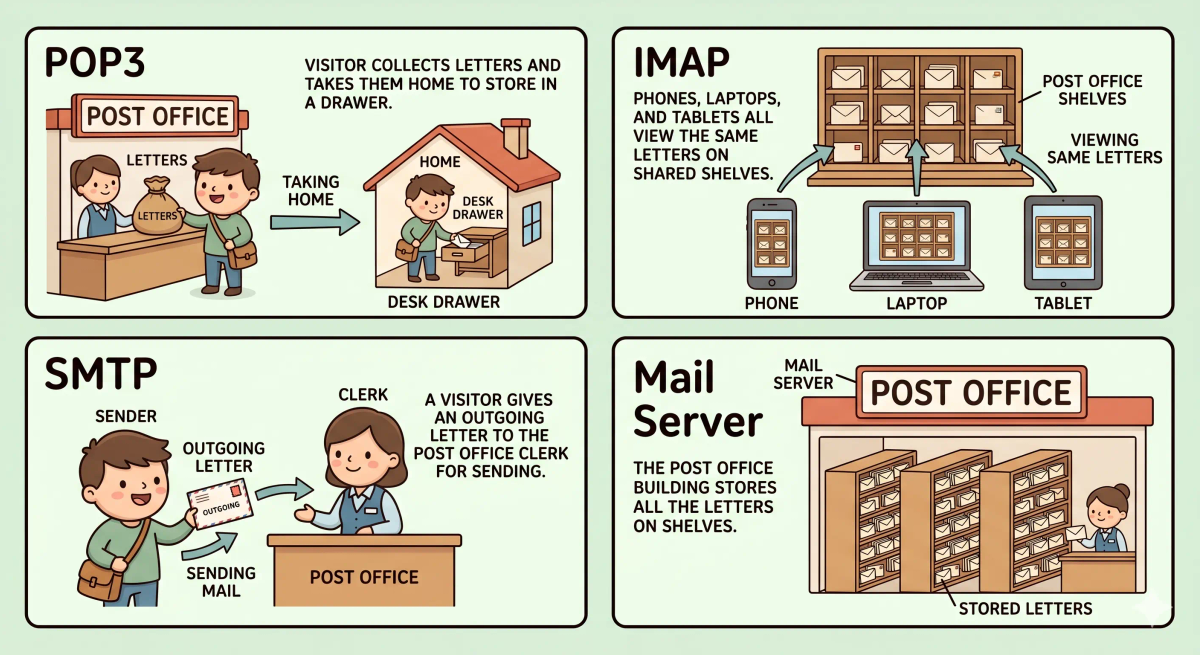
One person walks in, collects the letters, takes them home, and stores them in a desk drawer.
Another person visits the same post office from different counters: phone counter, laptop counter, and tablet counter. The letters stay on the shelves, and every counter sees the same organized mailbox.
Both people are checking mail.
But one is taking mail home, while the other is working with the shared mailbox at the post office.
That is the easiest way to start understanding POP3 vs IMAP.
Main Analogy
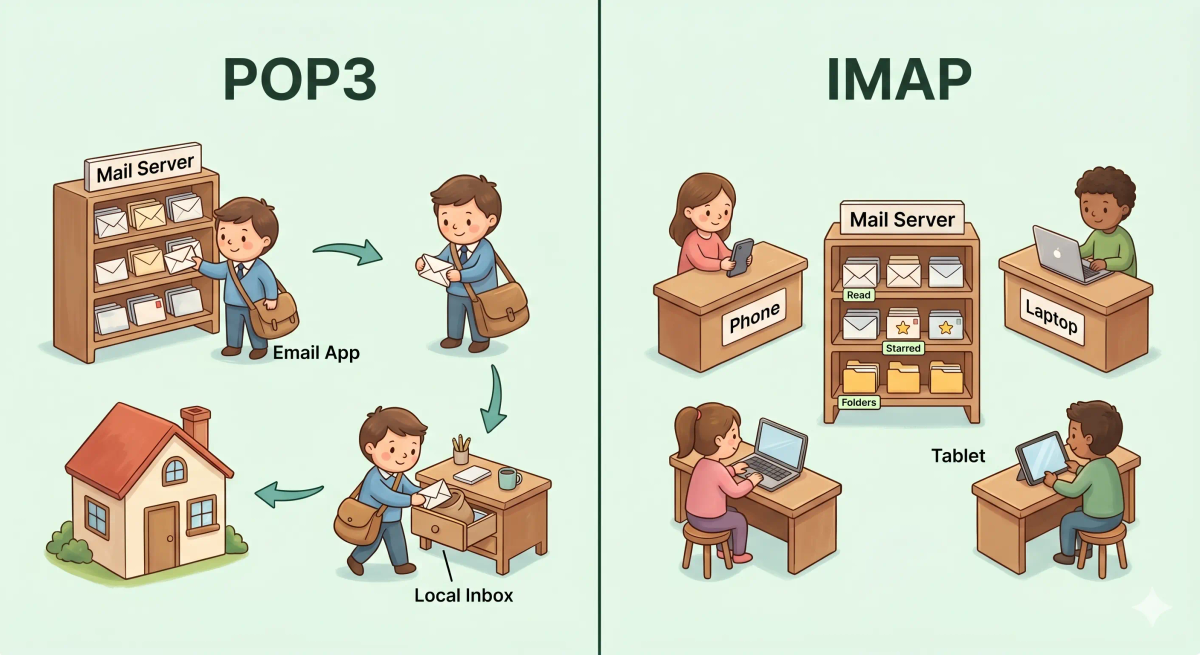
Think of POP3 and IMAP like two ways of handling mail at a post office
- Mail server = the post office holding your letters
- Email messages = letters in your mailbox
- Your email app = you visiting the post office
- POP3 = collecting letters and bringing them home
- IMAP = reading and organizing letters while they stay on shared shelves
- Multiple devices = different counters or doors into the same post office
So the easiest way to understand this comparison is:
- POP3 = download the mail and keep it locally
- IMAP = keep the mailbox on the server and sync every device with it
What Problem Does Each One Solve?
POP3
In the story world, POP3 solves the problem of wanting to take your letters home and keep them in your own drawer.
You do not need to keep visiting the post office just to read the same letters again.
In the real world, POP3 downloads email messages from the mail server to your device, where your email app can store and manage them locally.
IMAP
In the story world, IMAP solves the problem of wanting every counter to show the same mailbox.
If you read a letter at the phone counter, the laptop counter should also know that it was read.
In the real world, IMAP keeps the mailbox on the mail server and lets your phone, laptop, tablet, and webmail stay synchronized.
The actual difference
In the story world, POP3 helps you collect mail and bring it home, while IMAP helps you manage the same shared mailbox from many places.
In the real world, that means POP3 downloads messages to a device, while IMAP keeps messages on the server and syncs mailbox changes across devices.
So the actual difference is that POP3 is download-focused, whereas IMAP is sync-focused.
How the Difference Works in the Story
POP3 in the story
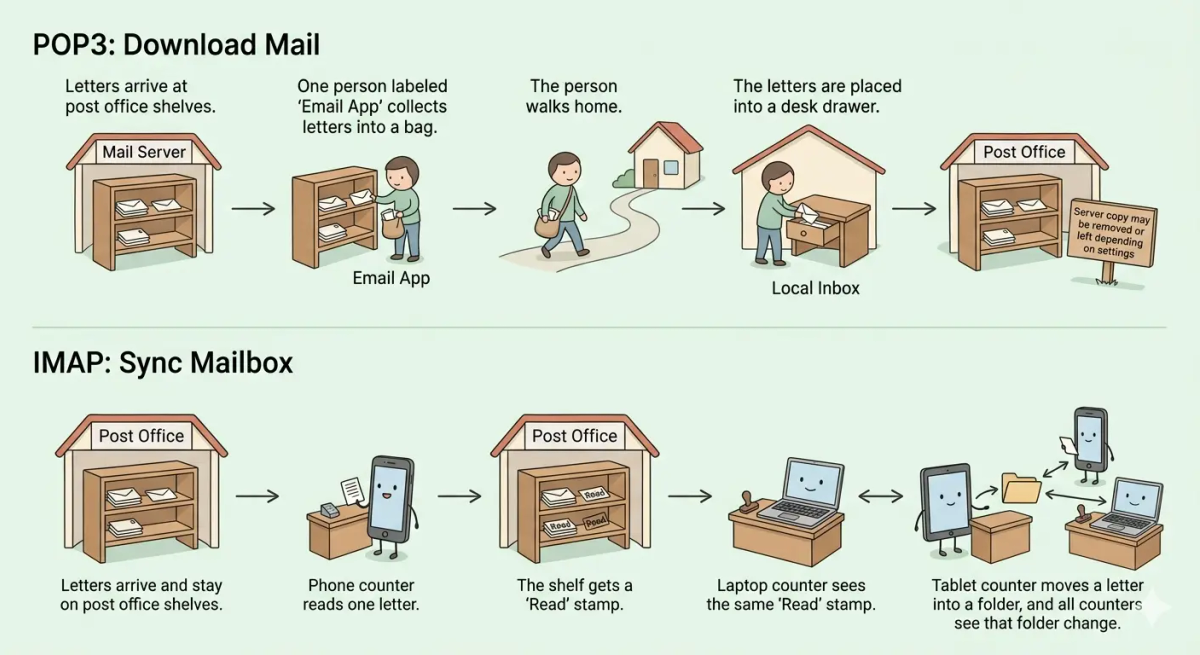
- Letters arrive at the post office.
- You visit the post office with a mail bag.
- You collect your letters from the shelf.
- You take the letters home.
- You store them in your own desk drawer.
- Other counters may not see the same local drawer changes.
IMAP in the story
- Letters arrive at the post office.
- The letters stay on the post office shelves.
- You visit from the phone counter and read a letter.
- The shelf gets updated with a “Read” mark.
- Later, you visit from the laptop counter.
- The laptop counter sees the same updated shelf.
How the Difference Works in the Real World
POP3 in the real world
- Email messages arrive on the mail server.
- Your email app connects using POP3.
- The app downloads messages to your device.
- The messages are stored locally in your email app.
- Depending on settings, the server copy may be removed or left behind.
IMAP in the real world
- Email messages arrive on the mail server.
- Your devices connect using IMAP.
- The mailbox stays on the server as the main source of truth.
- When you read, move, delete, or organize email, those changes update on the server.
- Your other devices see the same updated mailbox state.
👉 That means POP3 pulls mail down to a device, while IMAP keeps devices connected to one shared mailbox.
Real-World Example
Example: Checking email on your phone and laptop
Imagine you read an email on your phone in the morning.
With POP3, the message may be downloaded and handled mainly on that one device. Depending on your settings, your laptop may not show the exact same mailbox state.
With IMAP, the mailbox state is updated on the server. So when you open your laptop later, it can show that the message has already been read.
That is why the difference matters in practice: IMAP usually feels smoother when you use email on more than one device.
The Difference Mapped Clearly
POP3
- Downloads incoming email from the server
- Often stores mail mainly on one device
- Can be useful for simple single-device setups
- May not keep read status, folders, and changes synced across devices as naturally as IMAP
IMAP
- Keeps the main mailbox on the mail server
- Lets many devices access the same mailbox
- Syncs read status, folders, moves, and deletes through the server
- Usually fits modern phone + laptop + webmail usage better
Mental shortcut: POP3 = take mail home, IMAP = manage shared mail shelves
What POP3 and IMAP Are Not
This comparison is not the same as…
- SMTP — SMTP is for sending outgoing email, while POP3 and IMAP are for receiving or accessing incoming email.
- A mail server — the mail server stores and handles messages; POP3 and IMAP are ways your app retrieves or accesses them.
- Webmail — webmail is a browser-based email interface; it may use server-side systems behind the scenes.
- Email address — your email address identifies your mailbox; POP3 and IMAP describe how your app accesses received mail.
So while these ideas are related, the unique job of this comparison is understanding whether email is mainly downloaded to one device or synchronized through the server.
Why the Difference Matters
- It helps you choose the right email setup.
- It explains why email may look different on different devices.
- It shows why modern email usually prefers IMAP for multi-device use.
- It helps you understand what your email app is doing behind the scenes.
This matters because POP3 and IMAP both deal with incoming email, but they create very different mailbox experiences.
A memorable closer: the next time you see POP3 or IMAP, remember the post office. POP3 carries letters home. IMAP keeps the shelves shared.
A Slightly Deeper Version
A slightly deeper way to think about this comparison is that POP3 is a retrieval protocol built around downloading messages from a server to a client, while IMAP is an access-and-synchronization protocol built around keeping the mailbox on the server.
They may seem similar because both help you receive email, but the real distinction is where the mailbox is treated as the main source of truth.
With POP3, the device often becomes the main place you manage downloaded mail.
With IMAP, the server stays central, and devices sync their view from it.
Common Questions
Is POP3 the same as IMAP?
No. POP3 mainly downloads mail to your device, while IMAP keeps mail on the server and synchronizes the mailbox across devices.
Which is better: POP3 or IMAP?
For most modern users, IMAP is usually better because people check email on phones, laptops, tablets, and webmail. POP3 can still be useful for simple single-device setups or local storage preferences.
Do I need POP3 or IMAP?
If you want your email to stay consistent across multiple devices, choose IMAP. If you only use one main device and want local download, POP3 may be enough.
When should I use POP3 instead of IMAP?
Use POP3 when you mainly check mail from one device and want messages downloaded locally. For multi-device email, IMAP is usually the easier choice.
Why do people confuse POP3 and IMAP?
People confuse them because both are used for incoming email. The difference is that POP3 downloads, while IMAP syncs.
Is SMTP the same as POP3 or IMAP?
No. SMTP is mainly used for sending outgoing email. POP3 and IMAP are used for receiving or accessing incoming email.
In Short
- POP3 is like picking up letters from the post office and bringing them home.
- IMAP is like reading and organizing letters while they stay on shared post-office shelves.
- The main difference is download vs sync.
- Use POP3 when one-device local download is enough.
- Use IMAP when you want email to stay consistent across phone, laptop, tablet, and webmail.