 What Is FTP? Explained Simply for Beginners
 Imagine you work at a cargo warehouse and need to move boxes between your storage room and a distant warehouse.
Some boxes need to be uploaded from your side to the far warehouse.
Other boxes need to be downloaded from the far warehouse back to you.
You need a system for listing what is in the warehouse, opening the correct storage area, and moving boxes from one place to another.
That is the easiest way to start understanding FTP.
FTP is a protocol used to transfer files between one computer and another over a network.
Main Analogy
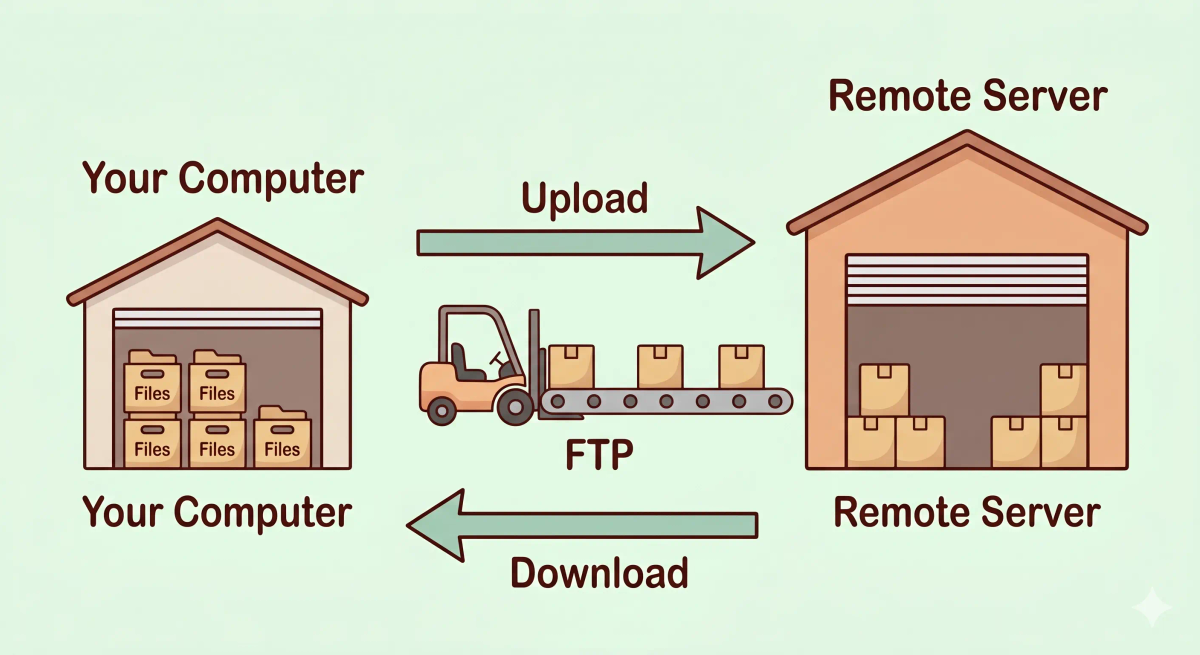
Think of FTP like a warehouse cargo transfer system for moving boxes between locations
- Files = cargo boxes
- Your computer = your local storage room
- Remote server = the distant warehouse
- FTP = the cargo transfer process that moves boxes between the two places
- Upload / download = sending boxes to the warehouse or bringing them back
So the easiest way to understand FTP is to think of it as a file-moving system that helps two locations exchange boxes in an organized way.
What Problem Does It Solve?
If two warehouses had no organized transfer system, moving boxes back and forth would be slow, messy, and confusing.
People might not know what is stored remotely, where to put things, or how to retrieve the correct box.
In the real world, users and servers often need a way to move files from one place to another, especially when managing websites, backups, or shared file storage.
So the job of FTP is to provide a structured way to upload, download, and manage files between computers.
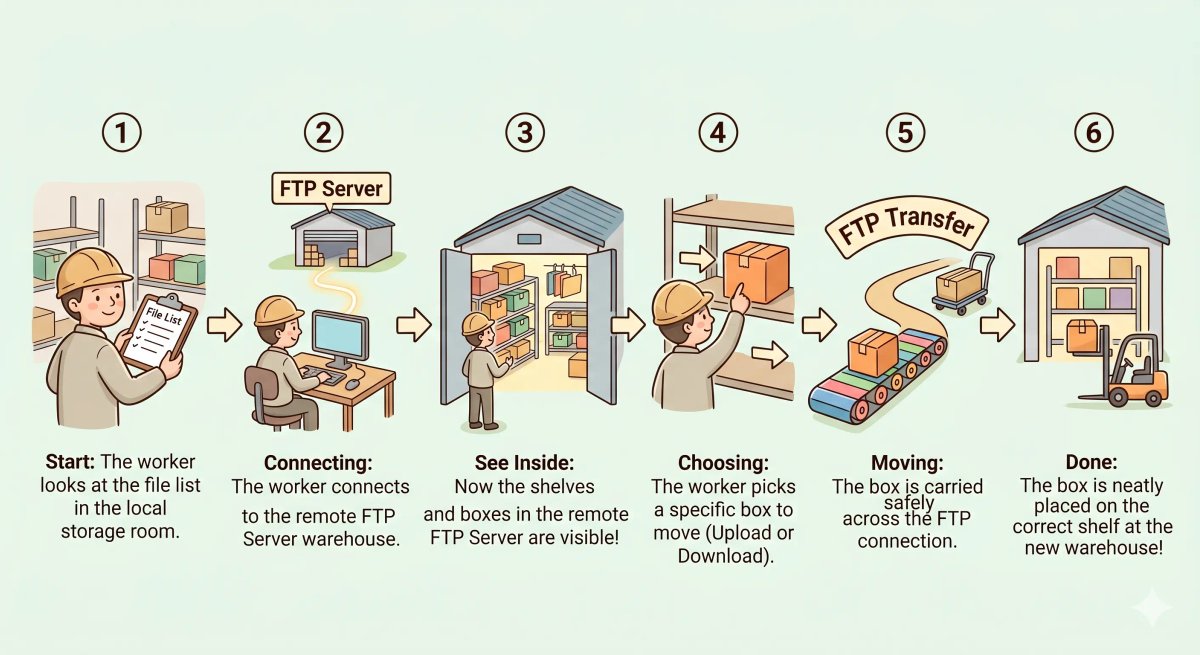
How It Works in the Story
- You look at the list of boxes in the distant warehouse.
- You decide which box to send or retrieve.
- The cargo transfer system opens the route between the two warehouses.
- A box is moved from one warehouse to the other.
- The receiving side stores the box in the correct place.
- The file transfer is complete.
How It Works in the Real World
- A client connects to an FTP server.
- The client can view files and folders on the remote server.
- The user chooses whether to upload or download files.
- FTP transfers the selected files across the network.
- The files are stored on the destination side.
👉 That means FTP helps computers move files from one location to another in an organized way.
Real-World Example
Example: Uploading website files to a server
When someone builds a website on their own computer, they may need to move those files to a server so the website can go live.
At that moment, FTP can act like the cargo transfer system.
If everything matches the expected behavior, the website files upload to the remote server and are stored in the right folders.
If not, the transfer may fail, the credentials may be wrong, or the files may end up in the wrong location.
What It Is Not
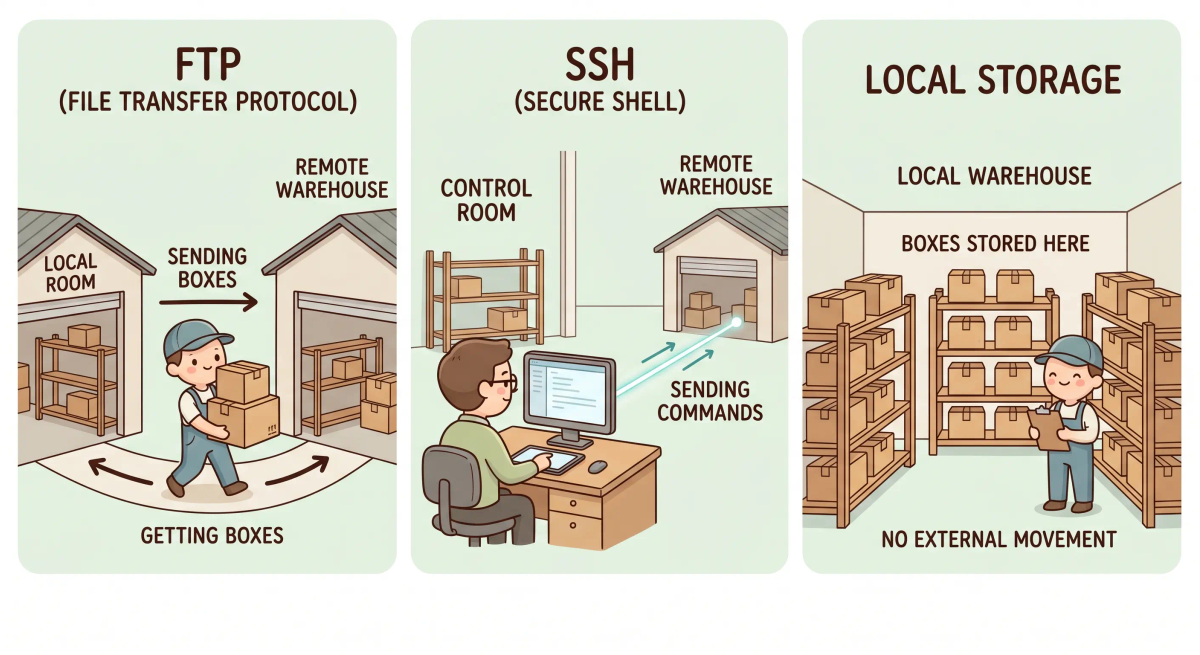
FTP is not the same as…
- HTTP — HTTP is mainly for requesting and viewing web resources, while FTP is for transferring files between systems
- SSH — SSH is for secure remote command access, while FTP is for file transfer
- A local folder — a local folder is just storage on your own machine, while FTP moves files between locations
- Cloud sync — cloud sync usually keeps files automatically synchronized, while FTP is a more direct transfer method
So while these ideas are related, FTP specifically does file transfer between computers.
Why It Matters
- It gives computers a way to move files between locations
- It helps with website uploads and server file management
- It makes remote file exchange more organized
- It is one of the classic file transfer methods on networks
This matters because FTP is one of the basic ways people have transferred files to and from remote systems.
The next time you hear “upload it with FTP,” remember that it means moving file boxes from your computer into a remote warehouse.
A Slightly Deeper Version
A slightly deeper way to think about FTP is that it is a protocol designed for transferring files between a client and a server.
It allows users to connect, list files and directories, and upload or download data between systems. Historically it was widely used for website publishing and server file management.
Because plain FTP is not secure by itself, many modern systems use safer alternatives for sensitive work.
Common Questions
What is FTP in simple words?
FTP is a protocol used to move files between computers over a network. In simple words, it is like a warehouse transfer system where files are boxes being uploaded, downloaded, or moved between places.
What is FTP used for?
FTP is commonly used to upload, download, and manage files on a remote server. For example, it can be used to move website files, backups, logs, documents, or large file collections.
How does FTP work?
FTP works by connecting an FTP client to an FTP server. After login, the client can list folders, upload files, download files, rename files, or delete files depending on the permissions.
Is FTP still used?
Yes. FTP is still used in some systems, especially older workflows, internal tools, and bulk file transfer setups. However, many modern setups prefer more secure alternatives.
Is FTP the same as HTTP?
No. HTTP is mainly used for requesting web pages, images, files, and API data from web servers. FTP is focused on transferring and managing files between a client and a server.
Can FTP upload and download files?
Yes. FTP can upload files from your device to a server and download files from a server to your device. That is one of its main jobs.
Is FTP secure by default?
No. Plain FTP is not secure by default because data, including login details, may be sent without strong protection. That is why secure options are usually preferred for sensitive transfers.
What is the difference between FTP and SFTP?
FTP is the older file transfer protocol, while SFTP transfers files over SSH. In simple terms, SFTP is commonly used when you want file transfer with stronger security built in.
In Short
- FTP is like a warehouse cargo transfer system for boxes
- Its job is to move files between your computer and a remote server
- It supports uploads, downloads, and file listing
- It is different from HTTP, SSH, and simple local storage
- It matters because it is a classic way to transfer files across networks