 What Is a Load Balancer? Explained Simply for Beginners
 Imagine a very popular bakery with hundreds of customers arriving at once.
If everyone lines up at one counter, that counter gets crowded, slow, and stressed.
But if a friendly floor manager sends customers to different open counters, the bakery works much better.
No single counter gets crushed by the crowd.
That is exactly where a load balancer comes in.
A load balancer is a system that spreads incoming traffic across multiple servers so no single server has to handle everything alone.
Main Analogy
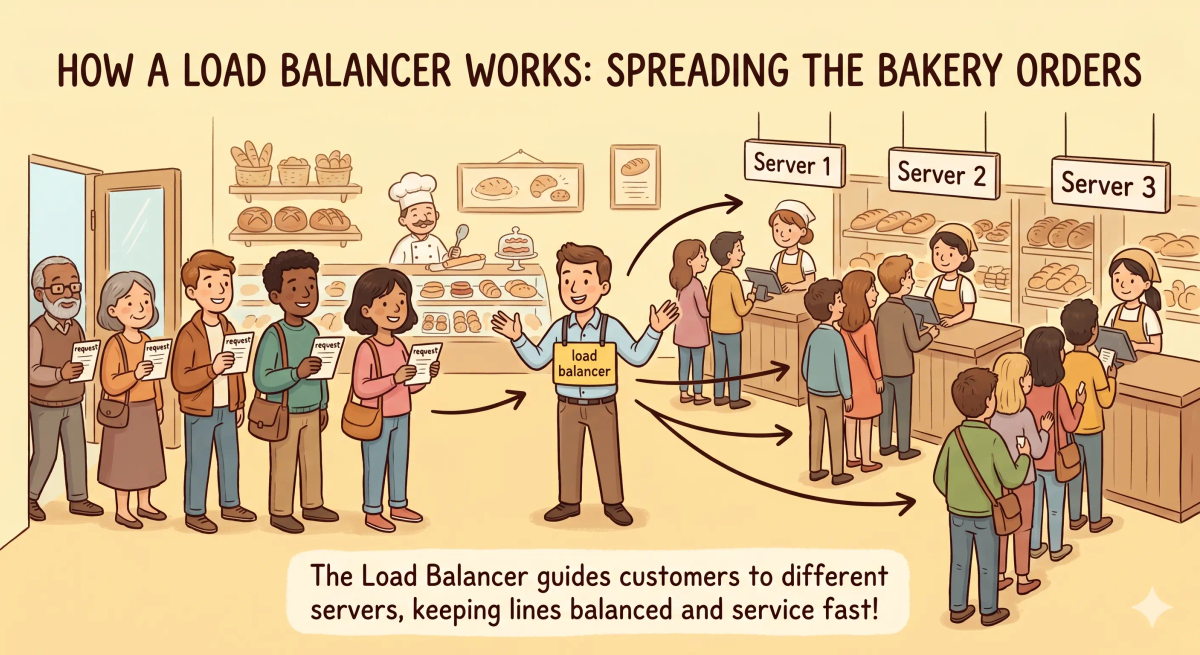
Think of a load balancer like a bakery floor manager
- Customers = user requests
- Bakery counters = servers
- Floor manager = load balancer
- Busy counter = overloaded server
- Closed counter = unhealthy or unavailable server
So the easiest way to understand a load balancer is to think of it as a traffic manager that sends each new request to a server that can handle it.
What Problem Does It Solve?
If there were no floor manager, every customer might rush to the same bakery counter.
That counter would become slow, crowded, and maybe stop working properly.
In the real world, that means one server could receive too many requests while other servers sit unused.
So the job of a load balancer is to distribute traffic, reduce overload, and keep services more reliable.
How It Works in the Story
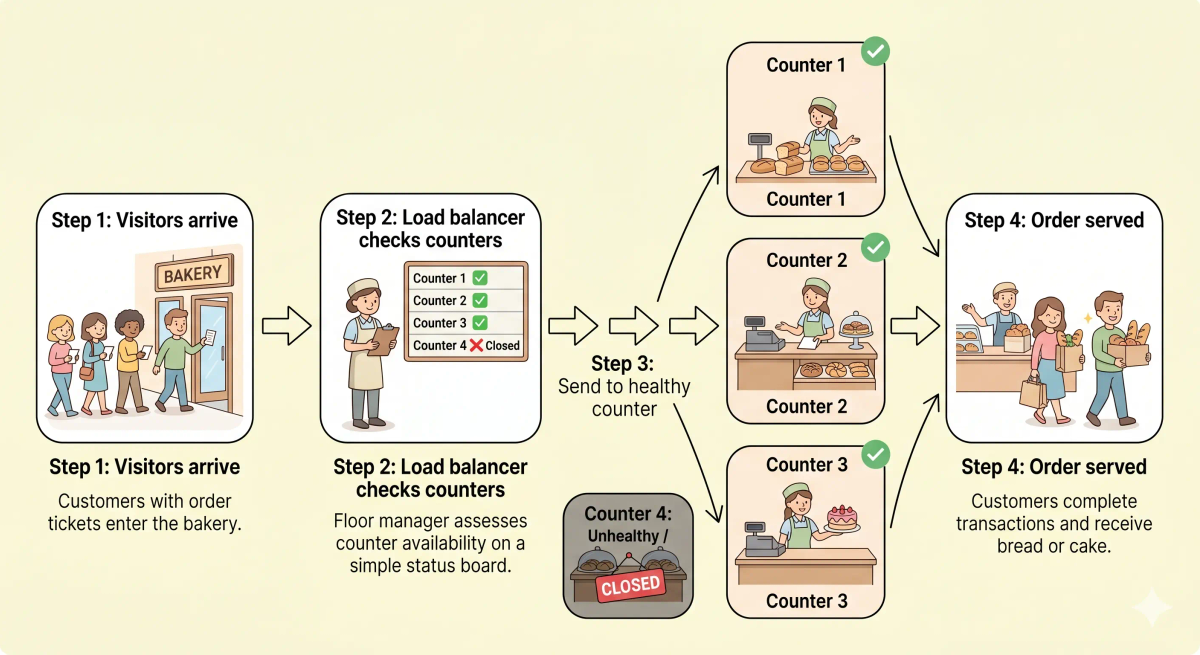
- Customers arrive at the bakery entrance.
- The floor manager checks which counters are open and how busy they are.
- The manager sends each customer to a suitable counter.
- If one counter is closed, the manager stops sending customers there.
- The counters serve customers in parallel, so the whole bakery handles more orders.
How It Works in the Real World
- A user sends a request to a website or app.
- The request reaches the load balancer first.
- The load balancer checks which backend servers are available.
- It forwards the request to one of the healthy servers.
- If a server is unhealthy, the load balancer avoids it and sends traffic elsewhere.
👉 That means a load balancer helps many servers work together as one reliable service.
Real-World Example
Example: Opening a popular shopping website
Imagine a big sale starts and thousands of people open the same shopping website.
If one server had to handle every visitor, the site could become slow or crash.
With a load balancer, incoming requests are spread across multiple servers behind the scenes.
To the user, it still feels like one website. But behind the scenes, many servers are sharing the work.
What It Is Not
A load balancer is not the same as…
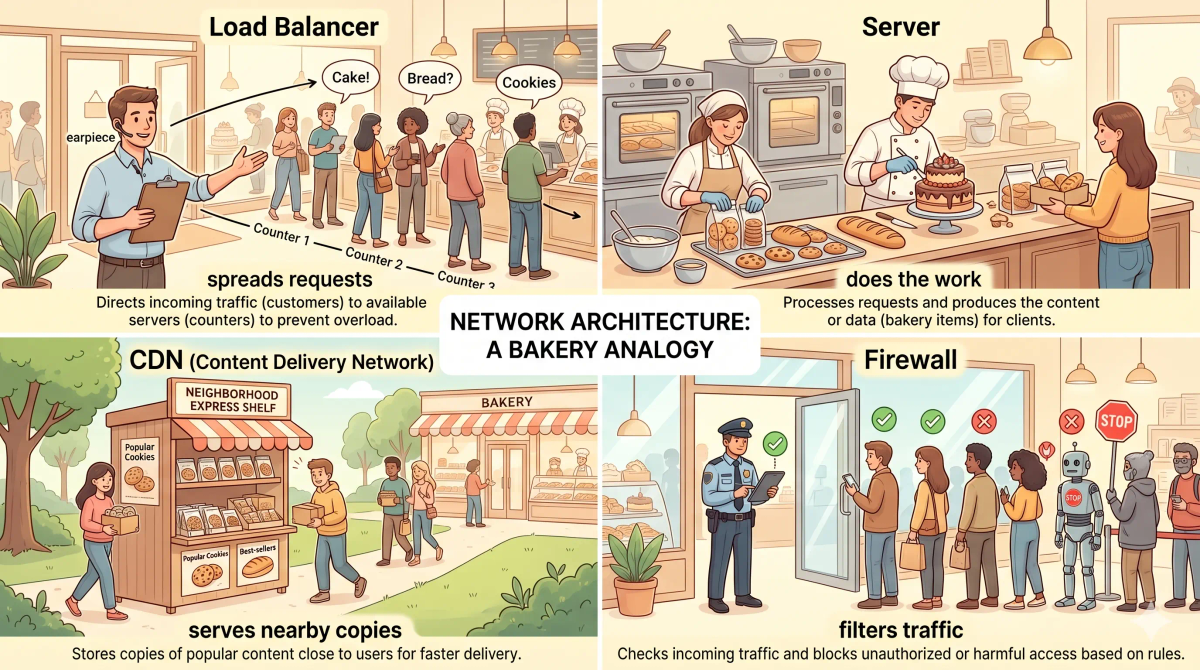
- A server — A server does the actual work of handling requests. A load balancer decides which server should receive each request.
- A router — A router directs network traffic between networks. A load balancer distributes application traffic across servers.
- A CDN — A CDN stores content closer to users. A load balancer spreads traffic across backend servers.
- A firewall — A firewall filters traffic for security. A load balancer distributes allowed traffic for performance and reliability.
So while these ideas are related, a load balancer specifically does the job of spreading incoming requests across multiple healthy servers.
Why It Matters
- It helps websites handle more visitors.
- It reduces the chance of one server becoming overloaded.
- It can send traffic away from unhealthy servers.
- It helps apps feel more reliable during busy moments.
This matters because a load balancer helps a group of servers behave like one stronger, steadier system.
Remember: the next time a busy website keeps working during a big sale, picture a calm bakery manager quietly sending each customer to the right counter.
A Slightly Deeper Version
A slightly deeper way to think about a load balancer is that it sits in front of a group of backend servers and forwards requests using a balancing method.
It may consider things like server health, current traffic, connection count, or routing rules. Some load balancers work at lower network layers, while others understand web traffic more deeply.
So at a deeper level, a load balancer is not just “more servers.” It is the system that decides how traffic should be shared across those servers.
Common Questions
Is a load balancer a server?
It can run on hardware or software, but its role is different. A normal server handles the request. A load balancer decides which server should receive the request.
Why do websites need load balancers?
They use load balancers to handle more traffic, avoid overloading one server, improve reliability, and route requests to healthy servers.
Does a load balancer make a website faster?
It can help by preventing overload and spreading traffic, but website speed also depends on servers, databases, code, caching, networks, and many other things.
What happens if one server fails behind a load balancer?
A load balancer can stop sending traffic to the failed server and send new requests to healthy servers instead.
In Short
- A load balancer is like a bakery floor manager
- Its job is to spread incoming requests across multiple servers
- It helps prevent one server from getting overloaded
- It is different from a server, router, CDN, and firewall
- It matters because it helps websites stay reliable when traffic grows