 What Is a Router? Explained Simply for Beginners
 Imagine a busy airport where people are arriving every minute. Some passengers need to go to Gate 4. Some need baggage claim. Some need the food court. Some are going to the wrong place entirely.
If there were no one directing people, the airport would become a giant mess. People would wander into the wrong hallways, stand in the wrong lines, and never reach the place they were supposed to go.
So how does order happen in a place full of movement? That is exactly where a router comes in.
A router is a device that sends data to the correct destination between networks.
Main Analogy
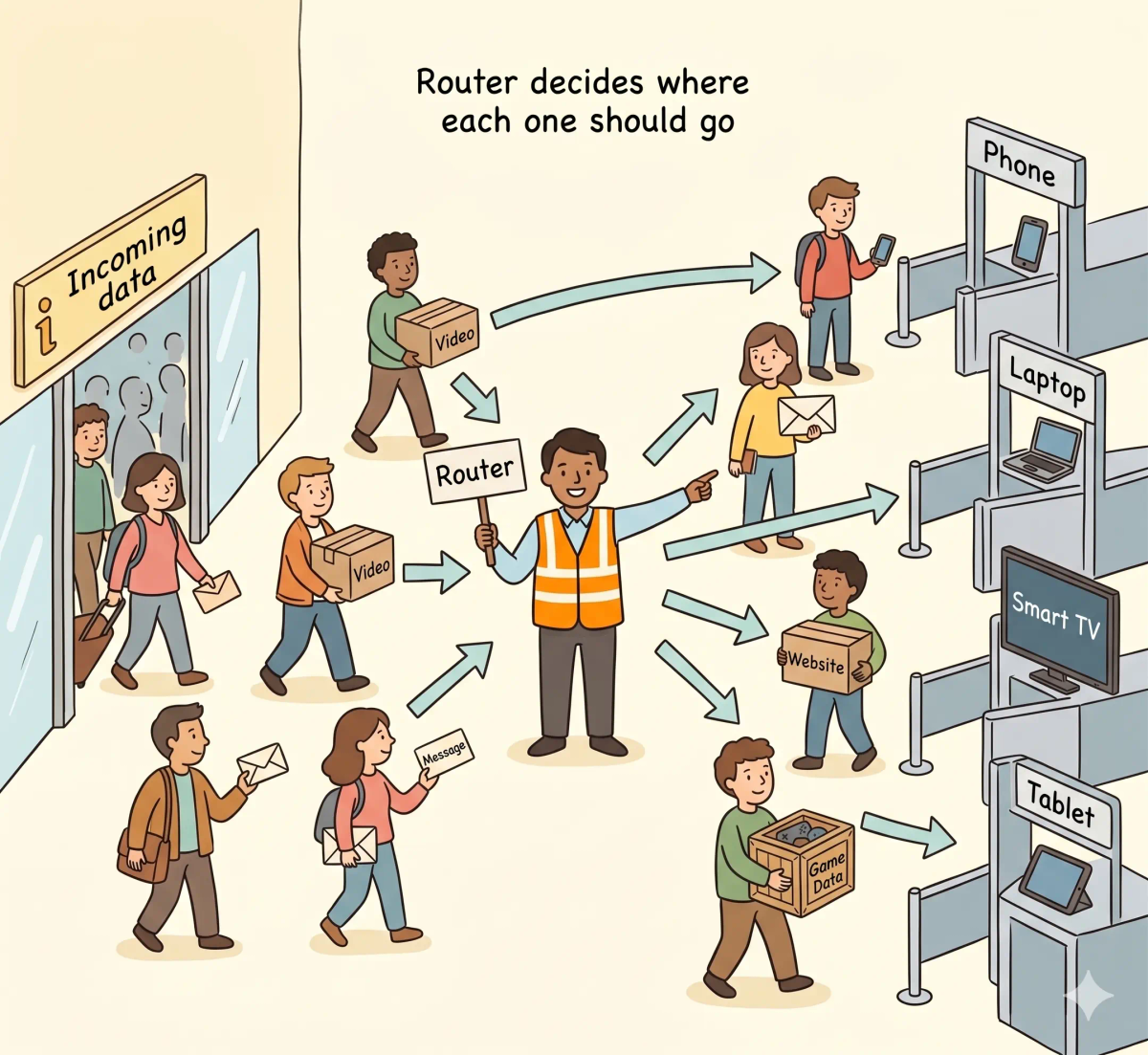
Think of a router like an airport guide who sends travelers to the right place
- Travelers = data packets
- Gates and terminals = devices or destinations on a network
- Airport pathways = network paths
- Airport guide = router
So the easiest way to understand a router is to think of it as the traffic director that makes sure each piece of data goes where it is supposed to go.
What Problem Does It Solve?
If there were no airport guide, then travelers would keep walking around confused, entering the wrong gates, and slowing everything down. In the real world, that means data would not know where to go on your network, so your phone, laptop, TV, and other devices would not receive the right information properly. So the job of a router is to move data toward the right place.
How It Works in the Story
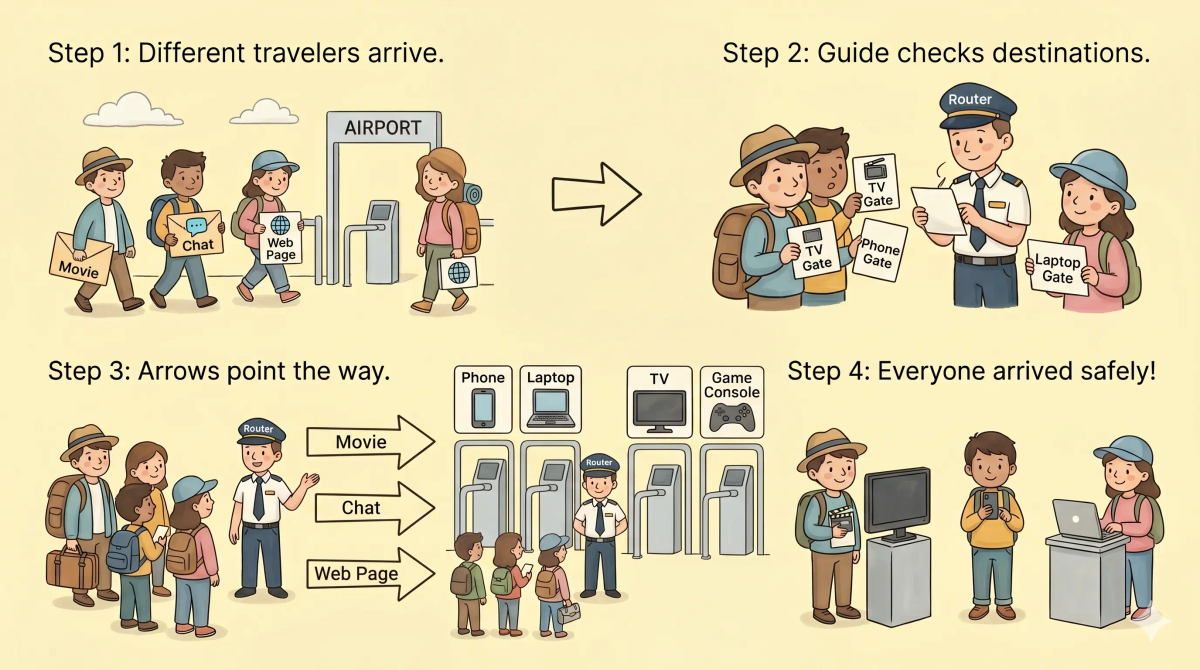
- Travelers enter the airport
- The guide checks where each traveler needs to go
- The guide points one traveler to Gate A and another to Gate B
- Travelers follow the correct paths
- Each traveler reaches the right destination
How It Works in the Real World
- Data arrives from the internet or from a local device
- The router checks where that data should go
- It chooses the correct path or device
- The data is sent to the proper destination on the network
👉 That means a router helps data reach the correct device instead of getting lost.
Real-World Example
Example: Watching YouTube on your smart TV while someone uses a phone
When you open YouTube on your TV, your home network starts receiving data for that video. At the same time, someone else may be scrolling on their phone. At that moment, the router helps send the TV video data to the TV and the phone data to the phone. If everything is working properly, each device gets the right information. If not, the wrong device could receive nothing useful at all.
What It Is Not
A router is not the same as…
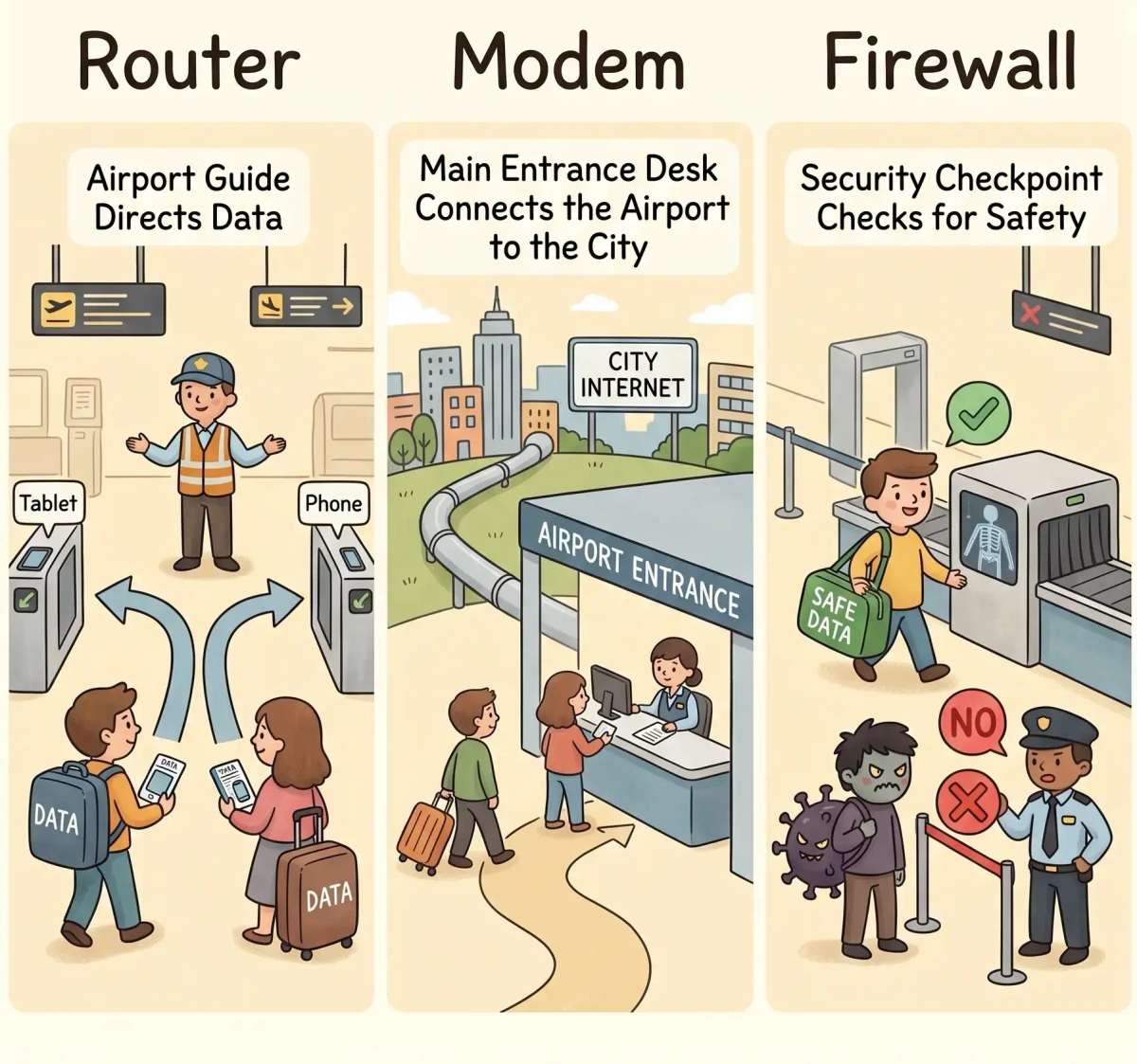
- Modem — a modem connects your home to your internet provider
- Switch — a switch connects devices inside a network, usually in a more local way
- Firewall — a firewall checks and filters traffic for safety
- Wi-Fi — Wi-Fi is a wireless way to connect devices, not the thing deciding the route itself
So while these ideas are related, a router specifically does the job of directing data to the right destination.
Why It Matters
- It helps your devices receive the right data
- It lets many devices share one internet connection
- It keeps traffic organized inside your home or office network
- It makes modern internet use feel smooth and automatic
This matters because a router helps turn a chaotic stream of data into an organized system your devices can actually use. Remember: the next time your phone, laptop, and TV all work at once, a router is one of the quiet helpers making that possible.
A Slightly Deeper Version
A slightly deeper way to think about a router is that it forwards packets between networks based on addressing information. It may look at destination IP addresses and then decide which interface or path should be used to move the packet closer to where it needs to go.
Common Questions
What is a router in simple words?
A router is a device that directs network traffic between your devices and other networks. In simple words, it is like an airport guide who sends each traveler to the right gate or destination.
How does a router work?
A router works by looking at where data needs to go and forwarding it in the right direction. At home, it helps your phone, laptop, TV, and other devices share the same internet connection.
Does a router create the internet?
No. A router does not create the internet. It helps your devices connect to each other and send traffic toward your internet connection and other networks.
Is a router the same as Wi-Fi?
No. Wi-Fi is the wireless way your device connects nearby. A router is the device that directs traffic between your home network and other networks.
What is the difference between a router and a modem?
A modem connects your home to your internet service provider. A router directs traffic between your devices and helps them share that connection.
Do I need a router at home?
In most homes, yes. A router helps multiple devices use the same internet connection and often provides Wi-Fi for phones, laptops, TVs, and smart devices.
Can a router improve internet speed?
A better router can improve Wi-Fi coverage, stability, and local network performance. But it cannot create more internet speed than your internet plan provides.
Why does restarting a router help?
Restarting a router can clear temporary issues, refresh connections, free up memory, and help devices reconnect properly. It does not fix every problem, but it can solve many simple home network issues.
In Short
- A router is like an airport guide
- Its job is to send data to the right destination
- It helps many devices use one network properly
- It is different from a modem or firewall
- It matters because it keeps network traffic organized