 What Is SSH? Explained Simply for Beginners
 Imagine you are a building manager standing in one city, but you need to control a machine room inside a distant office building in another city.
You cannot just shout instructions across the street.
You also cannot trust random people to carry your messages.
Instead, you use a private, locked control line that only trusted staff can use.
Once you are connected, you can send commands safely to the remote building and get answers back.
That is the easiest way to start understanding SSH.
SSH is a secure way to connect to and control another computer over a network.
Main Analogy
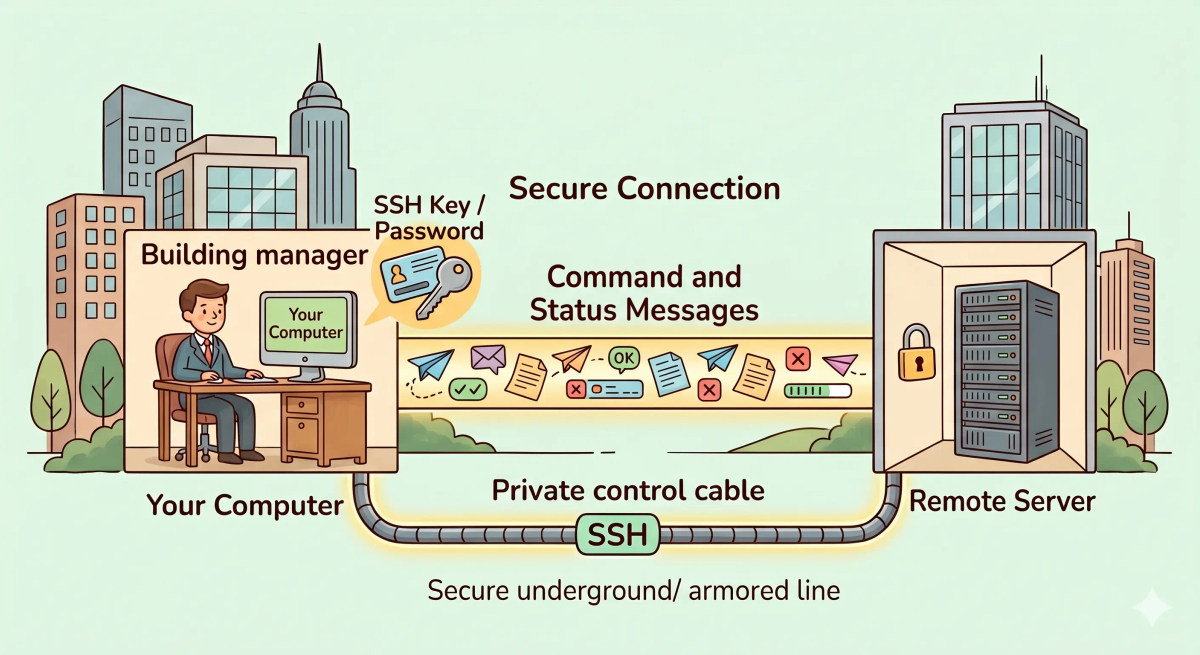
Think of SSH like a private locked control line to a remote machine room
- Your computer = the manager’s control desk
- Remote server = the distant machine room
- SSH connection = the locked private control line
- Commands = instruction slips sent through the line
- SSH key or password = the proof that you are trusted staff
So the easiest way to understand SSH is to think of it as a secure remote control link that lets you safely manage another computer from far away.
What Problem Does It Solve?
If you had to control a distant machine room using open public lines, anyone listening nearby might see your instructions or interfere with the connection.
That would be risky, especially when the remote system is important.
In the real world, people often need to log into servers, run commands, manage files, or fix problems from far away.
So the job of SSH is to let trusted users connect to remote computers safely and control them securely.
How It Works in the Story
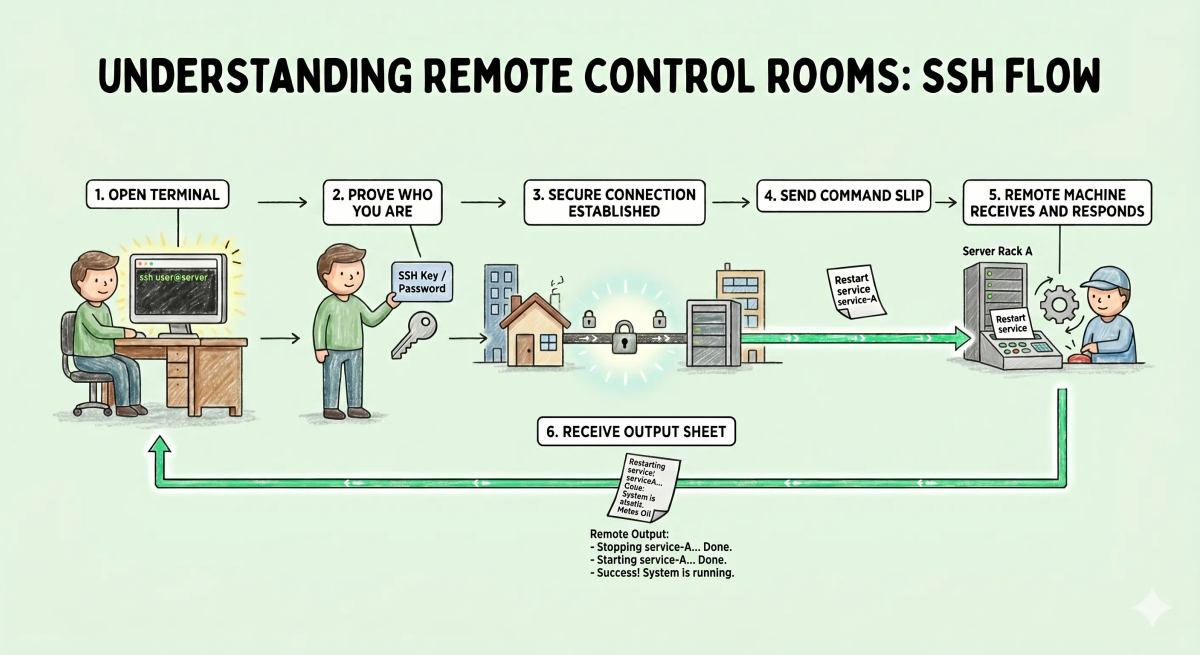
- A building manager needs to control a distant machine room.
- The manager uses a locked private control line instead of an open public one.
- The manager proves they are trusted staff with a key or passcode.
- The control line opens securely.
- The manager sends instructions to the remote machine room.
- The remote machine room sends results and status messages back.
How It Works in the Real World
- You start an SSH connection from your computer.
- Your computer contacts the remote server.
- You prove your identity, often with a password or SSH key.
- A secure encrypted connection is established.
- You can run commands, manage files, or administer the remote system.
- The server sends output and responses back to your terminal.
👉 That means SSH helps you safely manage a remote computer over a network.
Real-World Example
Example: Managing a website server
When a developer or system administrator needs to fix a website server, they may not be sitting in the same room as that server.
At that moment, SSH lets them connect securely from their own computer to the remote machine.
If everything matches the expected behavior, they can log in, run commands, restart services, or inspect logs.
If not, they may be blocked because the credentials are wrong, the server is unavailable, or the SSH service is not accepting connections.
What It Is Not
SSH is not the same as…
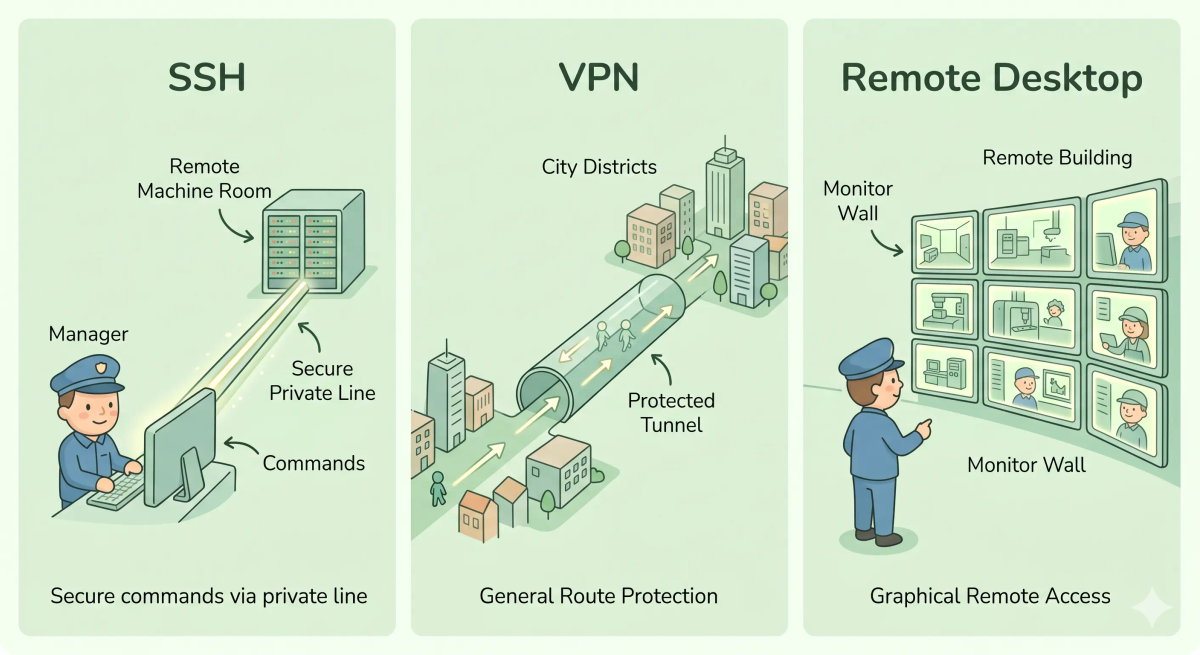
- HTTPS — HTTPS secures web browsing, while SSH secures remote login and command-line control
- A VPN — a VPN protects a broader path through the network, while SSH is a direct secure connection to a specific remote system
- Remote desktop — remote desktop usually shows the full graphical screen, while SSH is often used through a text-based terminal
- A password alone — a password may be used with SSH, but SSH is the whole secure connection method, not just the secret itself
So while these ideas are related, SSH specifically does secure remote access and control.
Why It Matters
- It lets administrators manage remote servers safely
- It helps protect commands and credentials while they travel
- It supports remote maintenance without needing physical access
- It is one of the most common tools for server management
This matters because SSH is one of the main ways people securely control remote computers.
The next time you hear that someone is “SSHing into a server,” remember that they are opening a secure remote control session to manage that machine.
A Slightly Deeper Version
A slightly deeper way to think about SSH is that it is a protocol for secure remote login and command execution.
It uses encryption to protect the connection, supports identity verification with passwords or cryptographic keys, and lets users interact with remote systems safely over a network.
That is why SSH is so important in system administration and backend operations.
Common Questions
What is SSH in simple words?
SSH is a secure way to connect to another computer over a network and control it remotely. In simple words, it is like having a protected remote doorway into a server.
What is SSH used for?
SSH is commonly used to log in to remote servers, run commands, manage websites, configure cloud machines, transfer files, and securely administer systems from another location.
How does SSH work?
SSH works by creating an encrypted connection between your device and the remote computer. After verifying access with a password or SSH key, it lets you safely send commands or data.
Is SSH only for Linux servers?
No. SSH is very common on Linux and Unix-like systems, but it can also be used in other environments, including cloud servers, networking devices, and some Windows setups.
Is SSH the same as HTTPS?
No. HTTPS is mainly used for secure website communication in a browser, while SSH is used for secure remote login, command execution, server management, and file transfer.
Do I need a password to use SSH?
Sometimes. Some SSH setups use passwords, but many use SSH keys instead because keys are often stronger and more convenient for repeated secure access.
What is an SSH key?
An SSH key is a pair of digital keys used to prove that your device is allowed to connect. The private key stays with you, while the public key is placed on the server.
Can SSH transfer files too?
Yes. SSH can be used for secure file transfer through tools like SCP, SFTP, and other systems that move files over an encrypted SSH connection.
In Short
- SSH is like a private locked control line to a distant machine room
- Its job is to let you securely connect to and control a remote computer
- It protects the connection and verifies identity
- It is different from HTTPS, VPNs, and remote desktop
- It matters because it is a core tool for secure remote server management