 Domain Name vs URL Explained Simply for Beginners
 If these two terms seem almost the same, this page will help you separate them clearly.
A Domain name is like the name of a building or property in the city.
A URL is like the full written route that tells you exactly how to get to a specific room, floor, or page in that building.
So the main difference is simple:
- A domain name identifies a website’s main address or site name, such as
example.com. - A URL is the full web address, such as
https://example.com/blog/post-1.
If you only remember one thing, remember this: the domain name is one part of a URL, but the URL gives the full path.
Quick Comparison Table
| Feature | Domain Name | URL |
|---|---|---|
| Main role | Names a website or site location | Gives the full address to a specific resource |
| Simple analogy | Building name or property name | Full route to a specific room or shelf |
| Example | openai.com | https://openai.com/research/index.html |
| Scope | Shorter, higher-level | More complete and specific |
| Includes protocol? | No | Yes, usually |
| Includes path/page? | No | Yes, when needed |
| Best use | Identifying the site | Locating a specific page or file |
Story Hook
Imagine a giant connected city.
In that city, buildings have names like “Central Library” or “Blue Bakery.” Those names help you know which place you mean.
But if you want to reach one exact room inside a building, the building name alone may not be enough. You may need the entrance type, floor number, hallway, and room number too.
So there is a difference between the name of the place and the full directions to a specific spot inside it.
That is the easiest way to start understanding domain name vs URL.
Main Analogy
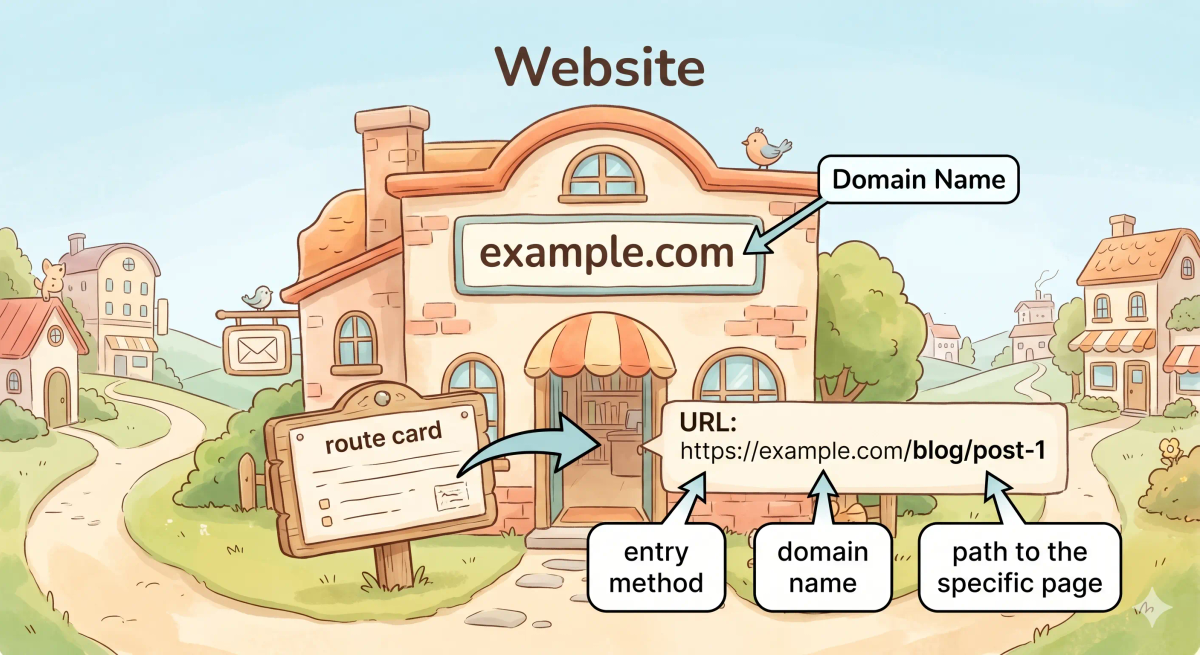
Think of a domain name and URL like addresses in a connected city
- Website = building
- Domain name = the building’s name or main address sign
- Specific web page or file = a room, floor, or shelf inside the building
- URL = the complete route card with all the directions
https://= the type of entry road or method used to visit- Path after the slash = the floor, hallway, room, or section inside the building
So the easiest way to understand this comparison is:
- Domain name = the site’s main name
- URL = the full address to a particular page or resource on that site
What Problem Does Each One Solve?
Domain Name
In the city story, the domain name solves the “which building do you mean?” problem.
A short, clear building name is easier to remember than complicated internal directions.
In the real world, a domain name gives a human-friendly name for a website.
URL
In the city story, the URL solves the “which exact spot inside that building do you want?” problem.
You may want the bakery itself, but more often you want a particular counter, menu page, or table.
In the real world, a URL tells the browser the full location of a specific web page, file, or resource.
The actual difference
In the story world, the domain name tells you which building you are talking about, while the URL gives the complete directions to a specific place inside it.
In the real world, that means the domain name names the site, while the URL identifies a full web address including the protocol and often a path.
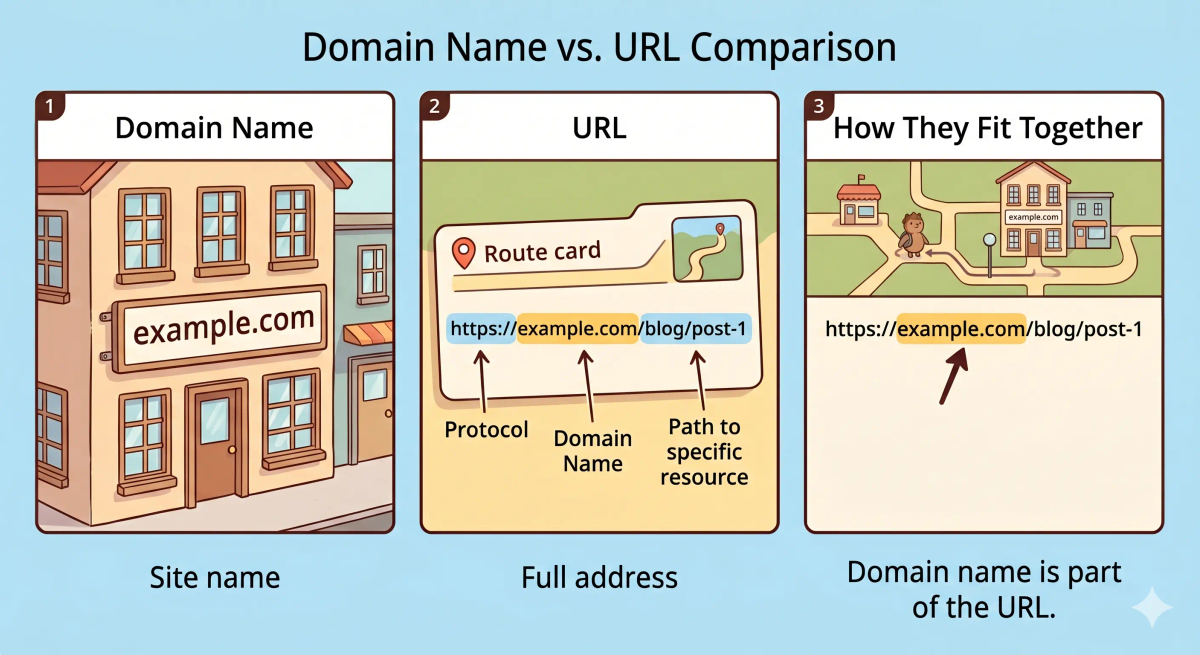
So the actual difference is that a domain name is a site name, whereas a URL is the complete address to a specific resource.
How the Difference Works in the Story
Domain name in the story
- A visitor wants to go to a place in the city.
- They see the name of the building on a sign.
- That sign tells them which building they want.
- But it does not always tell them the exact room inside.
URL in the story
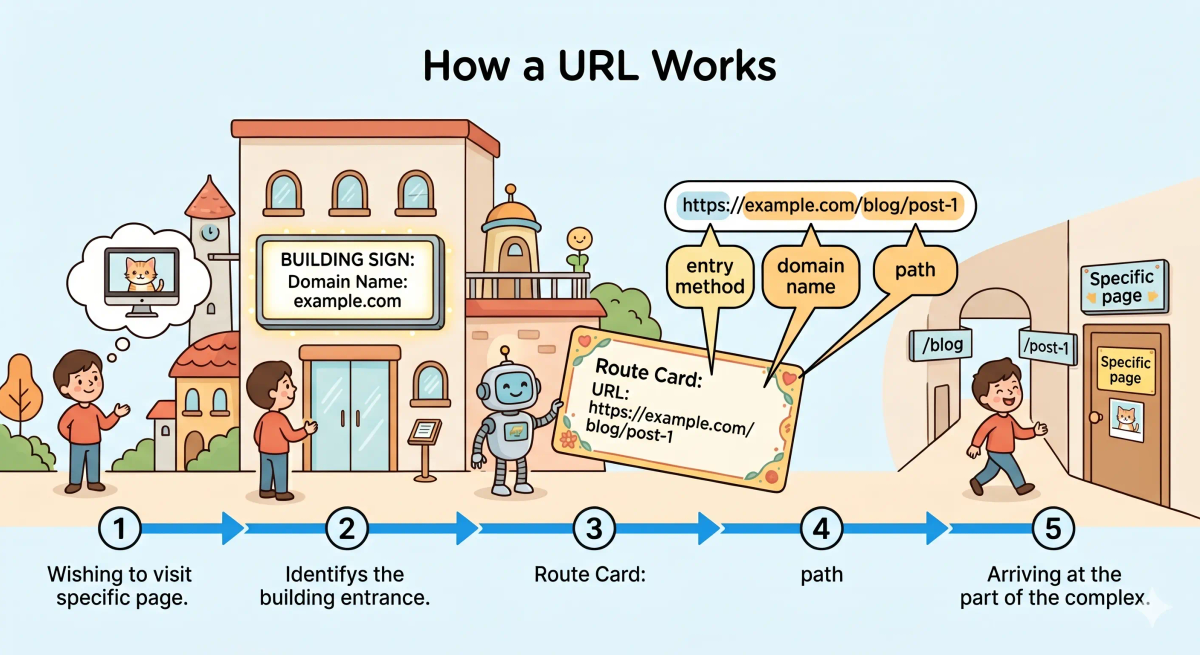
- A visitor gets a full route card.
- The route card shows the entry type, building name, and exact path.
- The visitor follows the directions to the correct floor and room.
- They arrive at the exact place they wanted.
How the Difference Works in the Real World
Domain name in the real world
- A website uses a domain name such as
example.com. - That name is easier for people to remember than a raw IP address.
- The domain name points users toward the correct site.
- On its own, it usually refers to the site at a higher level.
URL in the real world
- A URL begins with a protocol such as
httporhttps. - It includes the domain name.
- It may also include a path, query string, fragment, or other details.
- It tells the browser exactly which page or resource to request.
👉 That means every URL can contain a domain name, but a domain name by itself is not the full URL.
Real-World Example
Example: Opening a blog post
If you type example.com, you are using a domain name.
If you type https://example.com/blog/post-1, you are using a URL.
Both point to the same site, but the second one is more specific. It tells the browser not just which website to visit, but which exact page to open.
That is why the difference matters in practice.
The Difference Mapped Clearly
Domain Name
- Names the site
- Is easier for people to remember
- Usually shorter and simpler
- Is one part of a web address
URL
- Gives the full address
- Includes the domain name and often more details
- Can point to a specific page, file, or resource
- Tells the browser exactly what to request
Mental shortcut: domain name = site name, URL = full address.
What Domain Name and URL Are Not
This comparison is not the same as…
- IP address — an IP address is the numeric address of a device or server.
- DNS — DNS helps translate domain names into IP addresses.
- Website — a website is the collection of pages and content, not just the name or address.
- Web browser — the browser is the tool you use to open a URL.
So while these ideas are related, the unique job of this comparison is understanding the difference between a site’s name and its full web address.
Why the Difference Matters
- It helps you understand browser addresses.
- It helps you read links more clearly.
- It makes terms like domain, path, and URL much less confusing.
- It helps when you build, troubleshoot, or share websites.
This matters because domain name and URL are often mixed up, and understanding the difference helps you speak more accurately about how websites are addressed.
A memorable closer: the next time you look at a web address, remember the domain name is the site name, and the URL is the full route to the exact page.
A Slightly Deeper Version
A slightly deeper way to think about this comparison is that a domain name is the human-readable name associated with a site or host, while a URL is a structured locator that can include the protocol, host, path, query, and fragment used to identify a specific resource.
They seem similar because a domain name appears inside many URLs, but the real distinction is that the domain name identifies the site, while the URL identifies the full resource location.
Common Questions
Is a domain name the same as a URL?
No. A domain name is just the site name, while a URL is the full address.
Which is better: domain name or URL?
They do different jobs. A domain name is good for naming the site; a URL is used to point to a specific page or resource.
Do I need a domain name or a URL?
If you are talking about the site itself, you may mean the domain name. If you are linking to a page, you need the URL.
When should I use a domain name instead of a URL?
Use a domain name when you mean the main site name. Use a URL when you want to point to a specific page or file.
Why do people confuse domain names and URLs?
Because the domain name appears inside the URL, so they often look related at first glance.
In Short
- A domain name is like the name of a building
- A URL is like the full route to a specific room inside it
- The main difference is that a domain name names the site, while a URL gives the full address
- Use domain name when talking about the site name
- Use URL when talking about the exact page or resource