 What Is DNS? Explained Simply for Beginners
 Imagine you are visiting a giant city for the first time.
You want to go to a famous toy shop called Rainbow Toys. You know the shop’s name, but you do not know its street address. The city is huge. There are thousands of roads, buildings, and neighborhoods. Just knowing the name is not enough to get there.
So what do you do?
You walk up to the city’s information desk and ask, “Where can I find Rainbow Toys?”
The person at the desk looks it up in a giant city directory and gives you the exact street address.
That is the easiest way to understand DNS.
DNS is the system that turns a website name like
google.cominto the numeric IP address a computer needs to find the right server.
Main Analogy
Think of DNS like a city information desk with a giant directory book
- Website name = the name of a shop or building
- IP address = the exact street address of that building
- Your computer or phone = a visitor trying to reach the right place
- DNS = the information desk that looks up names and gives back the real address
So the easiest way to understand DNS is to think of it as the helper that turns a place name into the exact address needed to reach it.
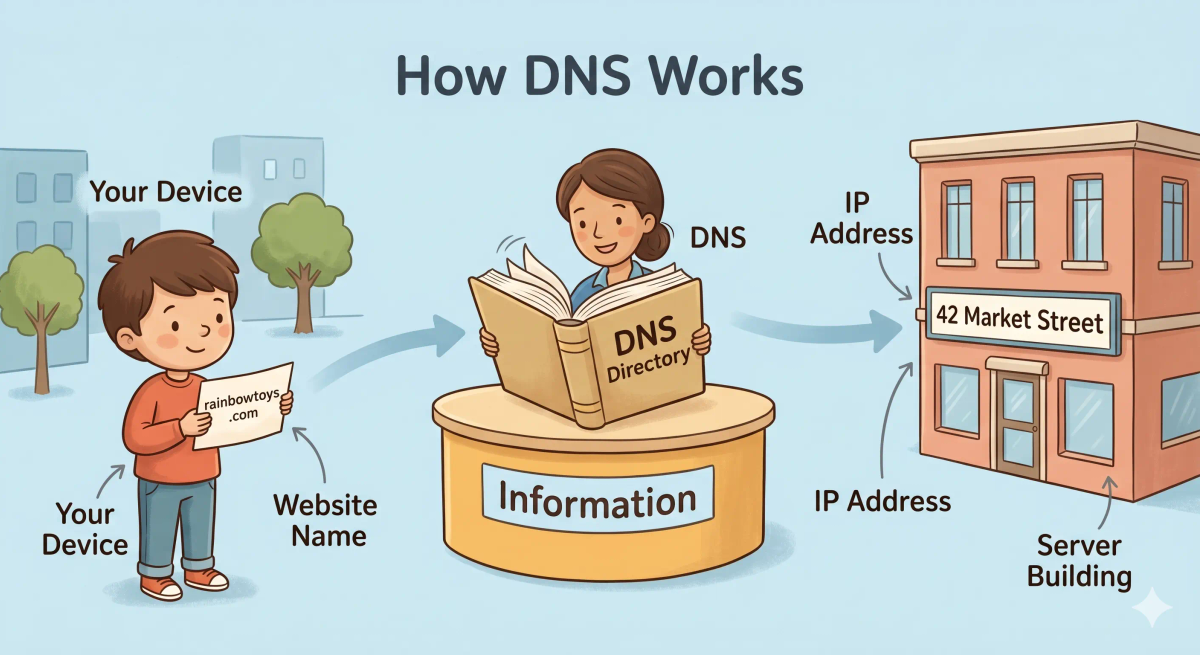
Caption:
DNS helps your device turn a website name into the exact address needed to find the right server.
What Problem Does It Solve?
If there were no city information desk, visitors would have to memorize the exact street address of every place they wanted to visit.
That would be hard, annoying, and easy to get wrong.
In the real world, computers need exact numeric addresses called IP addresses. But people are much better at remembering names like youtube.com or wikipedia.org.
So the job of DNS is to let humans use simple names while computers still get the exact address they need.
How It Works in the Story
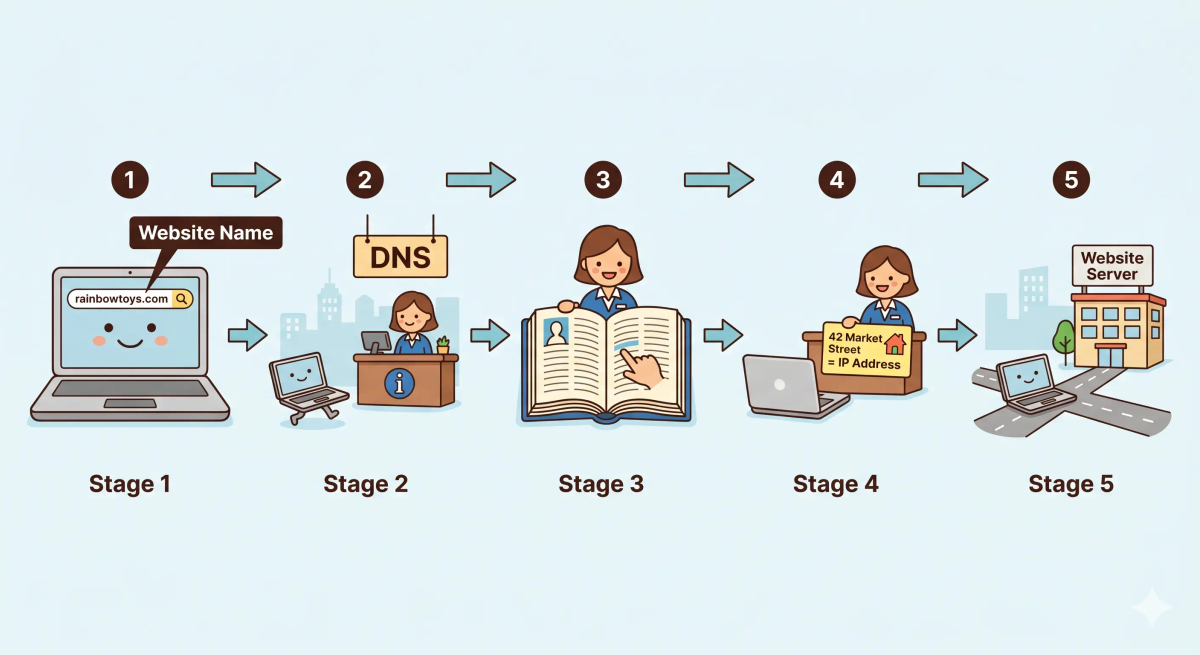
- You decide to visit a building in the city.
- You know the building’s name, but not its street address.
- You go to the city information desk and ask for help.
- The guide checks the giant directory book.
- The guide finds the exact address for that building.
- You can now travel to the correct place.
How It Works in the Real World
- You type a website name into your browser, like
example.com. - Your device needs the website’s IP address before it can connect.
- It asks DNS for the address linked to that name.
- DNS returns the correct IP address.
- Your browser can now send the request to the right server.
👉 That means DNS helps your device find the correct destination on the internet.
Real-World Example
Example: Opening a website
When you type youtube.com into your browser, your device does not magically know where YouTube’s server lives.
At that moment, DNS looks up the name and finds the matching IP address. Once your device has that address, it can send the request to the correct place.
If everything matches the expected behavior, the website starts loading.
If not, the browser may show an error because it could not find or reach the right destination.
What It Is Not
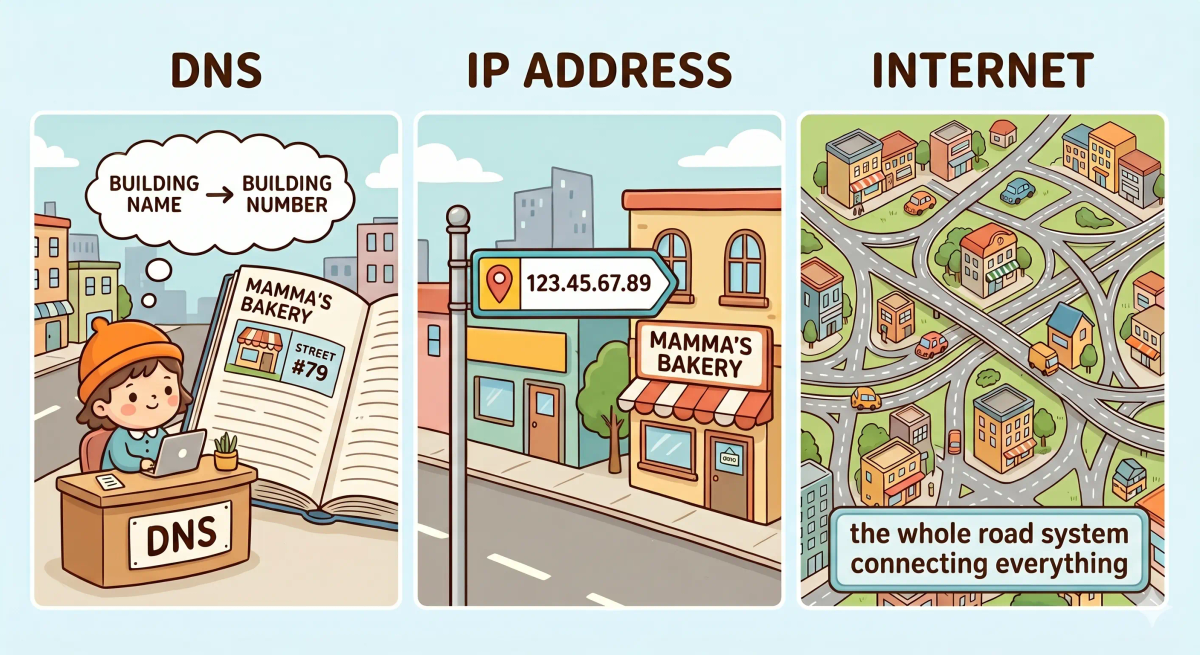
DNS is not the same as…
- IP address — an IP address is the actual numeric address; DNS helps you find it
- URL — a URL is the full web address you type; DNS mainly helps with the domain name part
- Browser — a browser displays the website; DNS helps the browser find where the website lives
- Internet — the internet carries the traffic; DNS is the naming system that helps direct it
So while these ideas are related, DNS specifically does name-to-address lookup.
Why It Matters
- It lets people use easy website names instead of long numbers
- It helps devices find the correct server quickly
- It makes the internet much easier for humans to use
- It quietly supports almost every website visit you make
This matters because DNS helps turn the internet from a giant list of hard-to-remember numbers into something people can actually use comfortably.
The next time you type a website name, remember that DNS is one of the quiet helpers making that simple action possible.
A Slightly Deeper Version
A slightly deeper way to think about DNS is that it is a distributed naming system.
It stores records that connect domain names to IP addresses. When your device needs to reach a domain, DNS servers help return the matching address so the request can go to the right machine.
So while the idea feels simple from the outside, DNS is one of the core systems that helps the web work smoothly.
Common Questions
What is DNS in simple words?
DNS is the system that helps turn a domain name into the IP address a computer needs. In simple words, it is like a city information desk that looks up a shop name and tells you the correct street address.
How does DNS work?
DNS works by looking up a domain name and finding the matching IP address. Once your device has that address, it can send the request to the correct server.
Does DNS store websites?
No. DNS does not store the actual website, images, pages, or files. It mainly stores lookup records that help your device find the server where the website lives.
Is DNS the same as an IP address?
No. DNS is the lookup system, while an IP address is the destination address it helps you find.
Is DNS the same as a Domain name?
No. A domain name is the human-friendly name you type, while DNS is the system that translates that name into the correct IP address.
Do I need DNS every time I open a website?
Often yes, especially when your device does not already know the address. But if the answer is saved in DNS cache, your device can reuse it for a while and open the site faster.
What is DNS cache?
DNS cache is a temporary saved copy of a DNS answer. It lets your device, browser, router, or DNS resolver reuse a recent lookup instead of asking again immediately.
Can DNS fail?
Yes. DNS can fail if the lookup server is down, the domain is misconfigured, the DNS record is wrong, the cache is outdated, or your network cannot reach the DNS resolver.
In Short
- DNS is like a city information desk
- Its job is to turn a website name into the correct IP address
- It helps your device find the right server
- It is different from the browser, the IP address, and the internet itself
- It matters because it makes the web easy for humans to use