 What Is a Data Packet? Explained Simply for Beginners
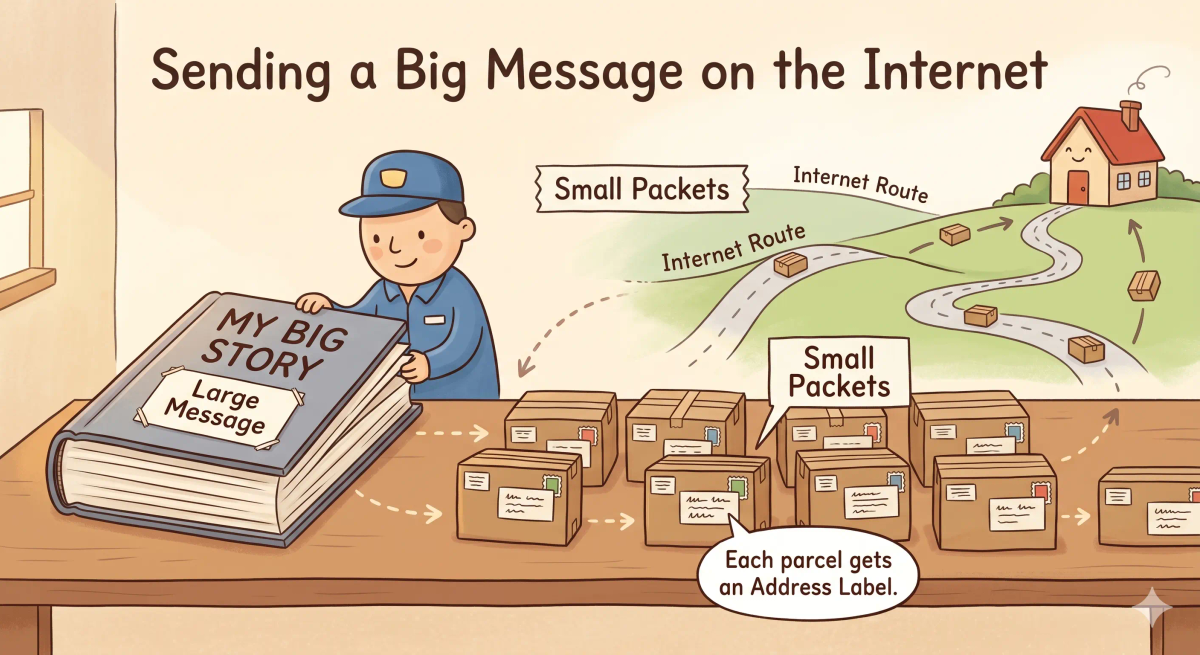
 Imagine sending a VERY large book to a friend.
You don’t ship the whole book as one huge block.
Instead, you split it into smaller packages.
Each package travels separately and reaches the destination.
That’s exactly how the Internet sends data.
A data packet is a small unit of data that is sent across a network.
Main Analogy
Think of a data packet like a parcel
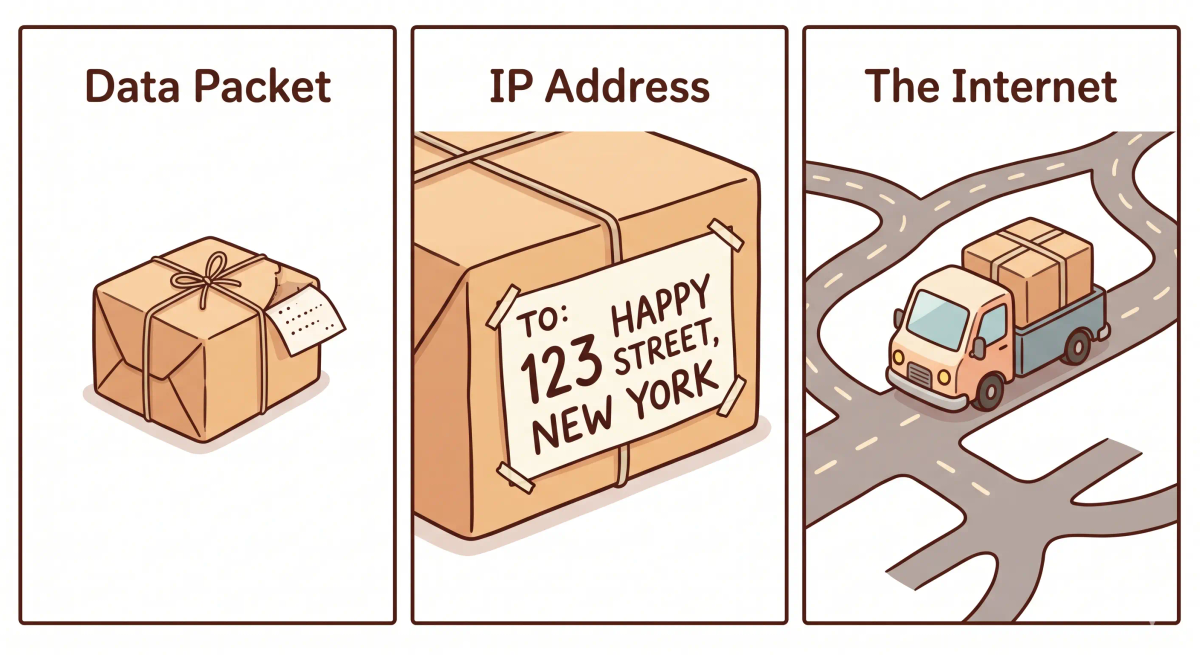
- Full message = Book
- Small parcel = Data packet
- Address label = IP address
- Delivery system = Internet
So the easiest way to understand a data packet is to think of it as a small parcel carrying part of a message.
What Problem Does It Solve?
If you tried sending a huge package all at once, it would be slow and risky.
If it gets lost, everything is lost.
In the real world, sending large data as one block would be inefficient.
So the job of a data packet is to break data into smaller, manageable pieces for efficient transmission.
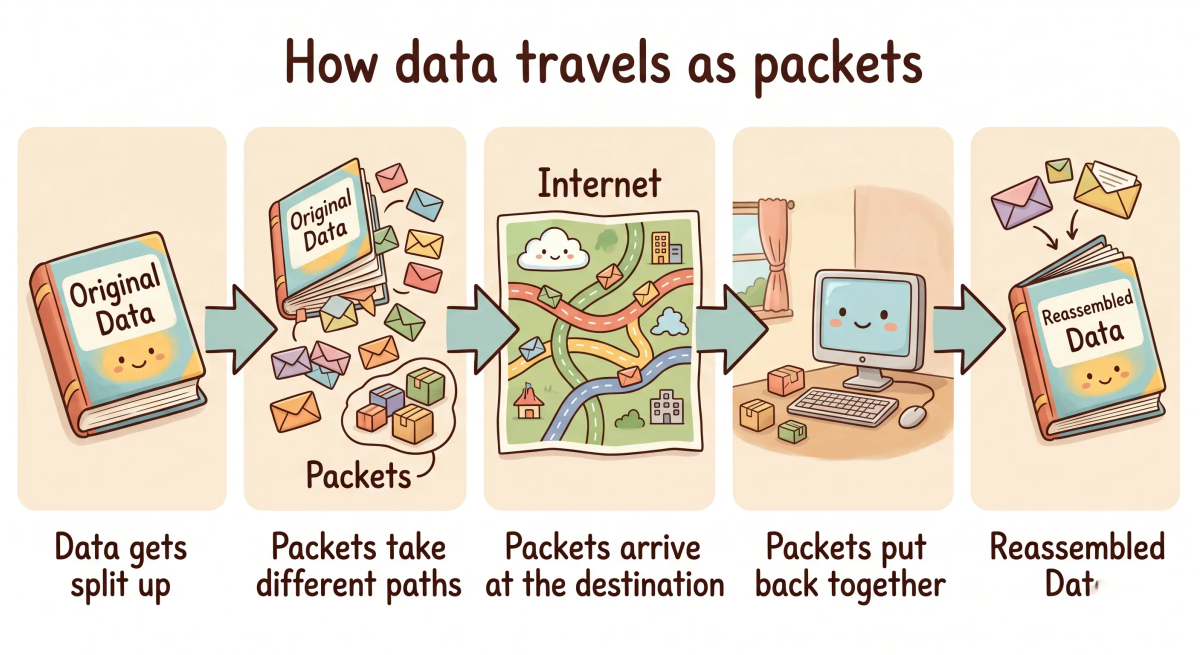
How It Works in the Story
- You split a book into pages
- Pack each into a parcel
- Send them separately
- They travel different routes
- They are reassembled at the destination
How It Works in the Real World
- Data is broken into packets
- Each packet gets an address
- Packets travel across the Internet
- They are reassembled at the destination
👉 That means data packets help send data reliably and efficiently.
Real-World Example
Example: Watching a Video
When you watch a video, it’s not sent as one file.
Instead, it is broken into many data packets.
Each packet travels independently.
Your device reassembles them to play the video smoothly.
What It Is Not
A data packet is not the same as…
- IP address — identifies devices
- Internet — the network
- Protocol — rules for communication
- Server — where data comes from
So while these ideas are related, a data packet specifically does the carrying of data.
Why It Matters
- Makes data transfer efficient
- Reduces risk of failure
- Enables streaming and browsing
- Supports reliable communication
This matters because data packets make fast and reliable Internet communication possible.
A Slightly Deeper Version
A slightly deeper way to think about a data packet is that it contains both payload (actual data) and metadata (like source and destination addresses), allowing it to be routed independently across networks.
Common Questions
What is a data packet in simple words?
A data packet is a small piece of information sent across a network. In simple words, it is like one chunk of a large book that has been split into smaller pieces for delivery.
How do data packets work?
Data packets work by carrying small parts of a message from one device to another. Each packet includes information that helps the network send it toward the right destination.
Why is data split into packets?
Data is split into packets because smaller pieces are easier to send, route, manage, and resend if something goes wrong. This helps large files, webpages, videos, and messages move across networks more efficiently.
What is inside a data packet?
A data packet usually contains the actual data being sent plus extra information, such as where it came from, where it is going, and how it should be handled.
Are packets always the same size?
No. Packets are not always the same size, but networks usually have size limits so packets can move safely and efficiently through different systems.
Can data packets get lost?
Yes. Data packets can get lost because of congestion, weak connections, network errors, or routing problems. Some protocols can detect missing packets and ask for them again.
Do data packets travel the same path?
Not always. Different packets from the same message can sometimes take different routes across the network and still be reassembled at the destination.
Who reassembles data packets?
The receiving device reassembles the packets into the original message, file, webpage, image, or video using the information carried with the packets.
In Short
- A data packet is like a parcel
- Its job is to carry small pieces of data
- It helps efficient transmission
- It is different from IP
- It matters because it enables reliable communication